
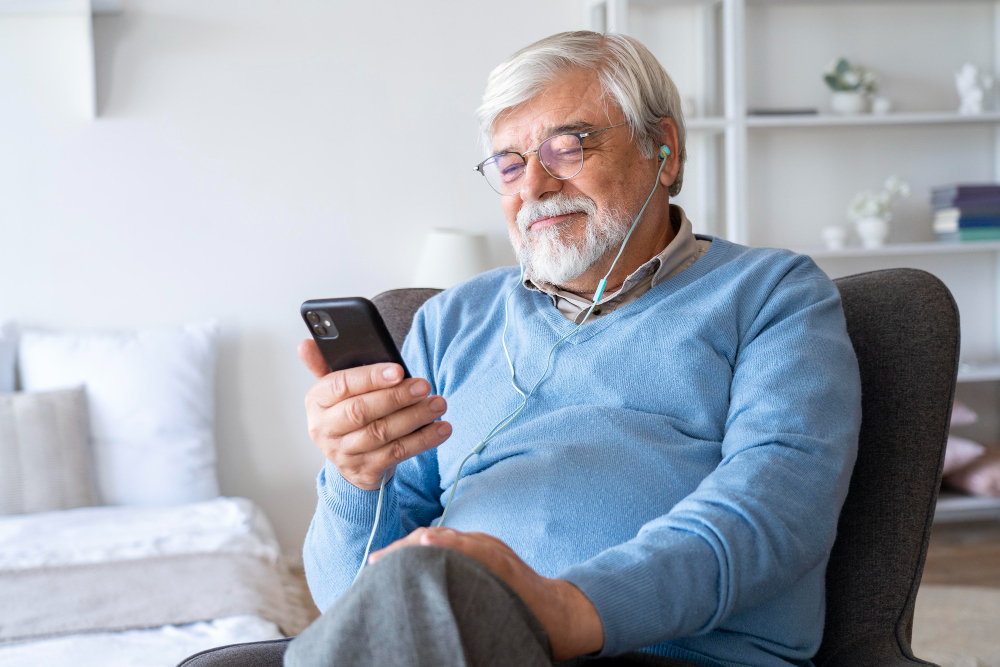
Mobile phones for the elderly play an important role in helping older people stay connected, safe, and independent. For many older users, a mobile phone is not about having the latest technology — it is about reliability, clarity, and ease of use.
Whether it’s making calls to family members, sending text messages, or having reassurance that help is always within reach, the right phone can make everyday life feel more manageable. However, with so many phones, phone models, and features available, choosing the right device can feel confusing for an older person and their loved ones.
This guide focuses on what really matters when choosing a mobile phone for elderly users in the UK. Rather than jumping straight into specific devices, it looks first at needs, preferences, and the practical features that make phones easier and more comfortable to use.
What makes a mobile phone suitable for older people?
Not all mobile phones are designed with older people in mind. While some users enjoy touchscreen smartphones and apps, others prefer simple mobile phones that focus on just calls and text messages.
For older users, suitability usually comes down to three core factors:
- Simplicity
- Comfort
- Confidence when using the phone
Many people prefer phones that allow them to make calls and send text messages without navigating complex menus. Others may want a simple smartphone that offers limited internet access, video calls, or taking photos, while still remaining easy to use.
The most suitable mobile phone is one that fits naturally into daily life and does not cause stress or frustration.
Understanding different types of mobile phones
There are several types of phones available, and understanding the difference can help narrow down the right option.
Simple mobile phones and feature phones
Simple mobile phones, often referred to as feature phones, are designed for basic use. They usually focus on phone calls and text messages, with minimal additional features.
These phones often have physical buttons, a simple interface, and fewer distractions. For older users who want a phone purely for communication, feature phones can feel familiar and easy to manage.
Flip phones
Flip phones remain a popular choice among older people. They are easy to open and close, which helps prevent accidental button presses. Many flip phones include an external screen, allowing users to see who is calling without opening the device.
The physical design also makes flip phones comfortable to hold and easy to store in a pocket or bag.
Smartphones and simple smartphones
Smartphones offer a wider range of features, including apps, internet access, and video calls. While some older people enjoy these functions, others may find them overwhelming.
A simple smartphone can be a good middle ground, offering touchscreen functionality with a simplified layout and larger icons. The key is ensuring the phone does not feel complicated or difficult to navigate.
Key things to consider before buying a phone
Choosing a mobile phone for an older person is about more than appearance or brand. Practical considerations often matter far more than advanced technology.
Ease of use and simple interfaces
A simple interface is essential for older users. Phones with clear icons, logical menus, and straightforward navigation help reduce confusion. Devices that require too many steps to make calls or send messages can quickly become frustrating.
Phones designed with simplicity in mind help older people feel more confident using their device independently.
Physical buttons vs touchscreen
Many older people prefer physical buttons because they provide tactile feedback. Big buttons and large buttons make it easier to dial numbers accurately, especially for users with dexterity issues or shaky hands.
Touchscreen phones can work well for some users, but they may not suit everyone. Touchscreen sensitivity, small icons, and gesture-based controls can be challenging for people unfamiliar with smartphones.
Screen size and display clarity
A large screen can make a big difference for users with poor eyesight or vision issues. Phones with larger screen sizes allow for clearer text, larger numbers, and easier navigation.
Screen clarity is just as important as screen size. Bright displays with high contrast make reading text messages and contact names easier.
Sound quality and hearing considerations
For users with hearing loss, sound quality plays a crucial role in choosing the right phone.
Clearer sound and loud volume
Phones with louder speakers and clearer sound help older people hear calls more easily. Adjustable volume settings allow users to increase sound levels without distortion.
Clear audio can improve confidence during phone calls and reduce the need to repeat conversations.
Hearing aid compatibility
Hearing aid compatibility is an important factor for many older users. Phones designed with hearing aid compatibility reduce interference and improve call clarity for those using hearing aids.
Checking for aid compatibility helps ensure calls are comfortable and easy to hear.
Battery life and charging convenience
Battery life is often overlooked, but it can significantly affect how usable a phone is for an older person.
Long battery life and standby battery life
Phones with long battery life reduce the need for frequent charging. Strong standby battery life means the phone stays powered even if it is not used constantly.
This is especially important for users who may forget to charge their phone regularly.
Charging cradles and charging docks
A charging cradle or charging dock can make charging much easier. Instead of fiddling with small cables, users can simply place the phone into the dock.
This is particularly helpful for people with limited dexterity or poor eyesight.
Comfort, size, and everyday handling
A phone should feel comfortable to hold and easy to carry.
Handsets and weight
Lightweight handsets are easier to handle and less tiring to use. Heavier devices may be harder to grip and more likely to be dropped.
Comfortable handsets help older people use their phones for longer periods without discomfort.
Pocket-friendly design
Phones that fit easily into a pocket or small bag are more convenient for everyday use. Bulky devices may feel awkward to carry and discourage regular use.
Technology confidence and personal preference
Technology confidence varies widely among older people. Some enjoy learning new features, while others prefer familiar technology they already understand.
People prefer different devices based on past experience, confidence levels, and personal comfort. There is no one-size-fits-all solution — the best phones are the ones that align with the user’s lifestyle and abilities.
Choosing a phone that feels manageable helps build confidence and encourages regular use, keeping older people connected with friends, loved ones, and family members.
Choosing the right phone for specific needs
Different older people have different needs, and the best mobile phones for the elderly are often those that support specific challenges rather than offering lots of unnecessary features.
Phones for memory loss and dementia
For older people living with memory loss, simplicity and predictability are essential. Phones that look familiar, behave consistently, and limit unnecessary options are often easier to use and less confusing.
Simple mobile phones with physical buttons, clear icons, and a straightforward layout reduce the risk of pressing the wrong keys or becoming disorientated. Devices that focus on calls rather than apps are often more suitable, particularly as memory loss progresses.
For many families, choosing the right phone goes hand in hand with wider support at home. Alongside simple technology, dementia home care can help provide routine, reassurance, and consistent support in a familiar environment.
Phones for hearing loss
Hearing loss can make phone calls frustrating if sound quality is poor. Phones designed for older users often prioritise louder volume, clearer sound, and hearing aid compatibility.
Hearing aid compatibility helps reduce interference and improves call clarity for people who wear hearing aids. Adjustable volume settings also allow calls to be heard more clearly without distortion, helping older people feel more confident when making and receiving calls.
Phones for poor eyesight or vision issues
For users with poor eyesight or vision issues, screen size and clarity are often more important than advanced features. Phones with a large screen, high contrast display, and adjustable font size make reading text messages, contact names, and menus much easier.
Big buttons and large numbers also reduce mistakes when dialling, particularly for older people who struggle with smaller keys or touchscreen controls.
Phones for dexterity issues
Dexterity issues can make small buttons, swipe gestures, and tight charging ports difficult to use. Many older people prefer phones with physical buttons that provide clear feedback when pressed.
A charging cradle or charging dock can also make daily use simpler, allowing the phone to be placed into position rather than plugged in with a cable.
Safety and reassurance features to look for
For many families, safety is one of the main reasons for choosing a mobile phone for an older person.
SOS and emergency buttons
Some phones include an SOS button or emergency button that allows the user to quickly contact trusted contacts in an emergency. These features can provide reassurance for both the older person and their loved ones, particularly for those who live alone.
Where extra reassurance is needed during the night or at vulnerable times, families sometimes combine simple technology with overnight care to ensure support is available if something goes wrong.
GPS location and trusted contacts
Phones with GPS location features can allow trusted contacts to check where the user is if needed. This can be particularly reassuring if an older person becomes disorientated when out and about.
Trusted contacts can also be set up for quick access, reducing the need to scroll through long contact lists when making calls.
Smartphones vs simple phones for older users
One of the most common questions families ask is whether a smartphone or a simple phone is the better option.
When a simple phone is the better choice
Simple mobile phones are often ideal for users who mainly want to make calls and send occasional text messages. These phones focus on essential features and avoid distractions, making them easier to use confidently.
They are particularly suitable for older people who prefer familiarity or feel anxious about modern touchscreen technology.
When a simple smartphone can work well
A simple smartphone may suit older users who want to stay more connected with family members through video calls, photos, or limited internet use. Many smartphones allow the interface to be simplified, with larger text and fewer on-screen options.
For some people, this balance makes a simple smartphone a practical and flexible option.
Helping an older person get started with a new phone
Even the best phone can feel intimidating at first. Support during setup and early use can make a significant difference.
Family members often help by:
- Saving important numbers
- Increasing font size and volume
- Practising making calls and sending text messages
- Removing unnecessary apps or features
For older people with health needs or ongoing conditions, combining technology with professional support can also be helpful. Services such as home care nursing can support overall wellbeing while helping individuals remain confident and safe at home.
Technology as part of staying independent at home
Mobile phones are often just one part of a wider plan to help older people remain independent in their own home. Being able to contact friends, family members, or support services helps reduce isolation and anxiety.
For individuals who need reassurance throughout the day and night, 24 hour care at home can work alongside simple, reliable technology to provide peace of mind for both older people and their loved ones.
Best UK Phone Models For The Elderly FAQs
What is the best mobile phone for elderly users in the UK?
The best mobile phone for elderly users in the UK depends on individual needs. Some people prefer simple phones with big buttons, while others benefit from a simple smartphone with a larger screen and video calls.
Are big button phones better than smartphones for older people?
Big button phones are often easier for older people who mainly want to make calls and send text messages. Smartphones may suit those who are comfortable with touchscreen devices and want additional features.
Can older people use smartphones?
Yes, many older people use smartphones successfully. Choosing a simple smartphone with a clear interface, large screen, and adjustable settings can make smartphones much easier to use.
Do phones with SOS buttons help older people feel safer?
Phones with SOS or emergency buttons can help older people feel safer by allowing quick contact with trusted contacts in an emergency.
How can family members support an older person using a mobile phone?
Family members can help by setting up the phone, simplifying settings, practising everyday tasks like calls and messages, and offering ongoing reassurance.

Michael Mensah brings over seven years of experience as a Nutritionist, guided by a genuine passion for improving people’s wellbeing. His strong commitment to supporting others in living with dignity and independence led him into the care sector.
He began his journey at Careline Home Support as a Care Worker, progressed to Team Leader, then Assistant Care Co-ordinator, and now works as a Care Co-ordinator. In this role, he provides personalised, person-centred care that respects each individual’s needs, while upholding the highest standards of compassion, safeguarding, and respect.
For Michael, caregiving is not just a profession but a meaningful exchange rooted in empathy. He believes that just as nature supports itself, those who need help should be met by those ready to offer it. His work brings him a deep sense of purpose, and he is proud to help foster a team culture built on kindness, professionalism, and mutual support.


